
Agentic AI
What Is an AI Agent? Agentic Applications Explained in Layman’s Terms...Kinda
A plain-English introduction to AI agents, agentic applications, and the different environments where agents can operate.
What Is an AI Agent? Agentic Applications Explained in Layman’s Terms...Kinda
Agentic Applications Series
This article introduces the term “agent” in plain English. It is designed to support future Tre1 Academy lessons on agentic applications, workflow automation, tool access, orchestration, and human-in-the-loop review.
Artificial intelligence is evolving rapidly, and one word seems to pop up everywhere:
Agent.
You may hear casual AI enthusiasts talk about an AI agent inside ChatGPT. You may hear seasoned users talk about coding agents. You may hear developers describe teams of agents working together across tools, files, websites, and business systems.
At first, the term can feel confusing because “agent” does not describe one particular product.
It describes a pattern.
An AI agent is a system that can recognize a goal, use tools, make decisions within guidelines, and work through a task with some level of independence.
That does not mean the agent is fully autonomous. It does not mean it should operate without human review. And it does not mean every agent is created equal.
Consider this:
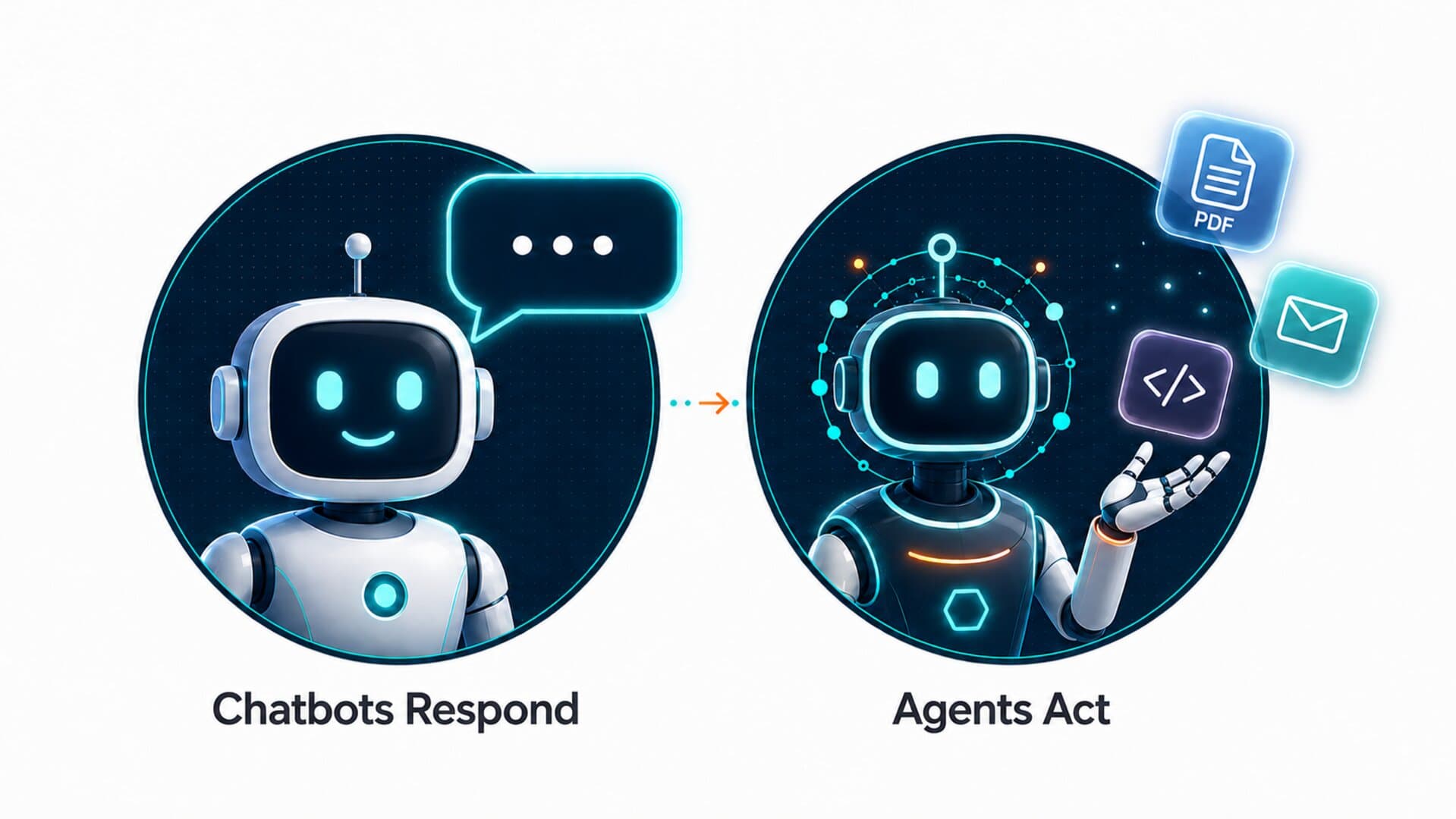
A chatbot can respond.
An agent can act.
From Chatbot to Agent
A chatbot is primarily conversational. You ask a question, it gives an answer. You ask for a draft, it writes one. You ask for an explanation, it gives one.
That is useful, but the work still depends on an actual person.
You copy the answer. You open the tool. You update the file. You send the email. You complete the task.
An agentic system takes it a step further.
Instead of merely generating a response, an agent may be able to:
- search for information
- open files
- use connected tools
- analyze data
- update documents
- run commands
- create a plan
- complete steps in sequence
- ask for approval before taking important actions
The difference is not just intelligence.
The difference is environment plus action.
An agent needs somewhere to work, tools it can use, instructions to follow, and boundaries that define what it can and cannot do.
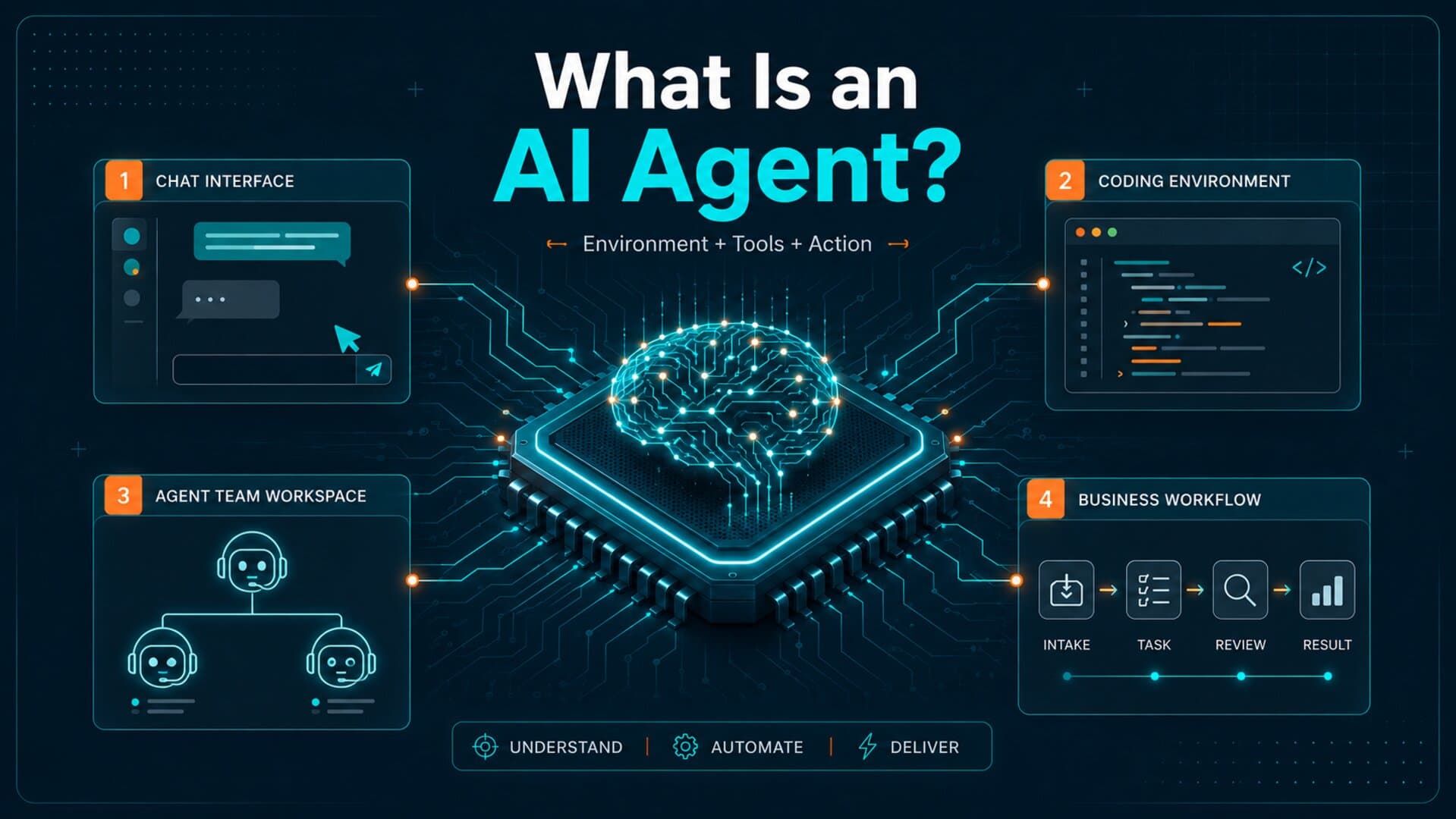
The Environment Matters
When people talk about agents, they often focus on the model. But the model is only one part of a broader system.
The agent’s environment is just as important as the underlying model.
An environment is the workspace where the agent operates.
Environments can be simple, like chat windows with browser access.
Environments can be more technical, like a command-line coding workspace.
Environments can be more structured, like a team of specialized agents assigned to different responsibilities.
Environments can also be integrated into business systems, where agents help route requests, summarize information, update records, or prepare follow-ups.
Environments determine what agents can see, what they can touch, what tools they can use, and how much human review is required.
This is why two systems can both be called “agents” but behave very differently.
Plain-English Rule
Do not judge an agent only by the model behind it. Judge it by the environment it works in, the tools it can use, the permissions it has, and the review process around it.
Example 1: Agent Mode in ChatGPT
One of the most approachable examples is Agent Mode inside ChatGPT.
This may be the first experience with agentic applications for many people because it is presented through a familiar chat interface.
You describe what you want done. The agent can browse, research, organize information, interact with files, or use connected tools depending on the task and available permissions.
This type of environment is useful because it feels familiar. You are still talking to an assistant, but the assistant has more ability to move through steps in a process.
For example, instead of merely asking:
“Summarize this topic for me,”
you can prompt an agent to:
“Research this topic, compare the options, organize the findings into a table, and prepare a draft summary.”
That is a more agentic workflow because the system is not only answering. It is completing a series of tasks.
Key lesson: Agent Mode helps introduce non-technical users to the idea that AI can move from conversation into task execution.
Example 2: Agent Teams in OpenClaw
A more advanced environment is a team of agents working together inside a structured system like OpenClaw.
In this type of environment, the goal is not just to have one assistant answer everything. Instead, multiple agents can be assigned different roles.
One agent may focus on planning.
Another may inspect code.
Another may review access control.
Another may summarize results.
Another may check whether a workflow follows the intended process.
This is closer to how teams work in real organizations. Managers usually do not assign every responsibility to one person. They divide the work based on role, context, and expertise.
Agent teams follow a similar principle.
The advantage is specialization.
A single general-purpose agent may be helpful, but a coordinated team of agents can be designed around repeatable tasks. Each agent can have a specific job, clearer instructions, and a more focused output.
For business use cases, this matters because real workflows are rarely one-step tasks.
A customer request might involve intake, classification, routing, response drafting, follow-up, documentation, and reporting.
A team of agents can support multi-step workflows when the environment is properly designed.
Key lesson: Agent teams introduce the concept of orchestration — multiple agents working together within a larger system.
Example 3: Claude Agent Environments
Claude Code is another example of an agentic environment, especially in software development.
Instead of only chatting about code, an agentic coding environment can read a codebase, understand project structure, edit files, run commands, test changes, and prepare repository commits or pull requests.
This is a different kind of agent experience because the environment is much closer to where the work actually happens.
For a developer, the workspace may be the terminal, an Integrated Development Environment, a desktop app, a browser-based coding environment, or a connected repository.
The agent is not just explaining what to change. It can help make the change.
That does not remove the need for human review. In fact, human review is more important in this type of environment.
When an agent can touch files, run commands, or modify a project, a real person needs to understand the plan, inspect the output, and approve meaningful revisions.
Key lesson: Coding agents show how powerful agents become when they operate directly inside a work environment.
Agents Range in Complexity
Not every agent is complex.
Some agents are simple assistants with limited tool access.
Some agents follow a narrow set of instructions, such as summarizing support tickets or drafting follow-up emails.
Some agents work inside business systems.
Some agents operate in coding environments.
Some agents coordinate with other agents.
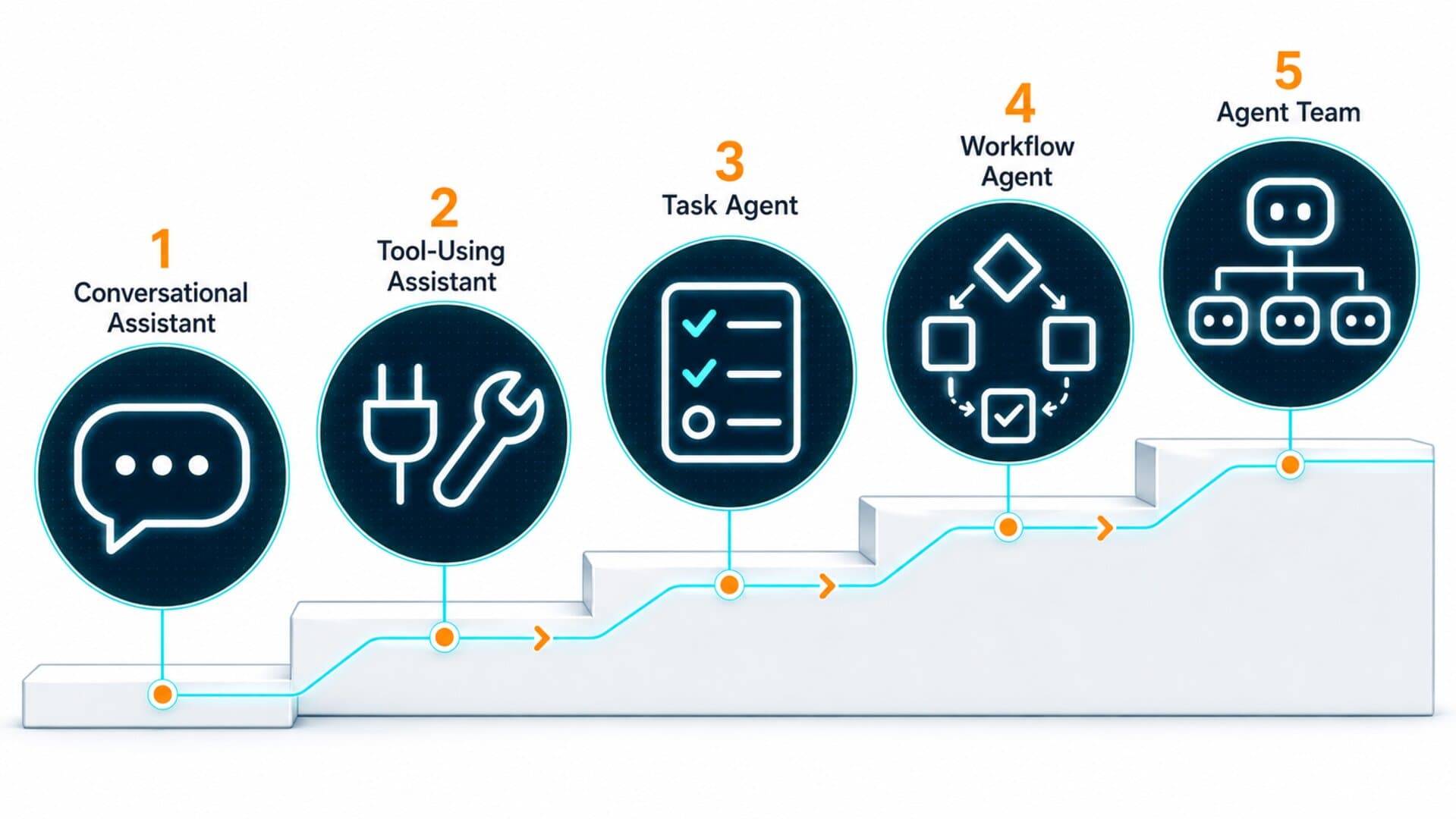
A helpful way to think about the range is:
Level 1: Conversational assistant AI answers questions and drafts content.
Level 2: Tool-using assistant AI uses tools like search, files, calculators, or connected apps.
Level 3: Task agent AI completes a multi-step process with guidance and checkpoints.
Level 4: Workflow agent AI works inside a repeatable business process, such as intake, follow-up, reporting, or routing.
Level 5: Agent team Multiple agents work together with defined roles, shared context, and orchestration.
Most organizations do not need to jump straight to Level 5.
In fact, they usually should not.
A better starting point is to understand the workflow first.
What task repeats?
Where does information enter?
Where does information get delayed?
Where does someone have to copy, check, update, or follow up?
Where does the process break down?
Those questions matter more than the word “agent.”
Why This Matters for Business Workflows
The excitement around agents is real, but it can also create confusion.
A business may hear “AI agent” and imagine a fully independent digital employee. That is usually the wrong starting point.
A better way to think about agents is:
An agent is a structured helper that can operate inside a defined environment.
That environment needs:
- a clear goal
- access to the right information
- permission boundaries
- human review points
- repeatable instructions
- a safe way to handle errors
- a clear definition of success
Without those pieces, an agent can become unpredictable or ineffective.
With those pieces, an agent can become a powerful part of a workflow.
This is why agentic applications are not just about AI capability. They are about process design.
Workflow-First Reminder
The best first agentic workflow is usually not the most advanced one. It is the workflow with a clear goal, repeatable steps, known inputs, review points, and a measurable outcome.
How This Connects to Tre1 Academy
Tre1 Academy approaches agentic applications from the ground up.
Before building advanced agent workflows, professionals need to understand the basics:
- what an agent is
- how agentic systems differ from normal chatbots
- what environments agents work inside
- why tools and permissions matter
- how human review fits into the process
- how to identify a workflow that is ready for automation
This article is the starting point.
Future lessons will go deeper into agent roles, tool access, orchestration, workflow design, governance, and practical implementation.
The goal is not to make the concept more complicated.
The goal is to make it useful.
Final Thought
The word “agent” will continue to show up across AI products, coding tools, automation platforms, and business systems.
The important thing is not to memorize every product name.
The important thing is to understand the pattern.
An AI agent is not just something that talks.
It is something designed to work through a goal inside an environment, using tools, instructions, and boundaries.
Once you understand that, the rest of the agentic AI conversation becomes much easier to follow.