Getting Started
Where Do I Start With AI?
A plain-English guide to choosing your first AI tool category without getting overwhelmed by tool lists.

Where Do I Start With AI?
Access Note
This free guide is designed to help you make sense of AI tool categories before choosing a platform, subscription, or workflow setup. It is useful on its own and also points toward deeper setup planning inside the Premium Guide and Blueprint.
Most professionals are not struggling because they lack awareness of AI tools. They are struggling because the tool landscape is noisy, fast-moving, and difficult to connect to the work they actually do every day.
This guide gives you a simpler starting point. Instead of asking, “Which AI tool should I try?” start by asking, “Which workflow needs support, and what kind of tool category fits that workflow?”
That shift matters because AI adoption becomes much easier when the decision starts with a real operational need: a task that repeats, a handoff that breaks down, a message that gets delayed, a report that takes too long, or a process that depends on too much manual follow-up.
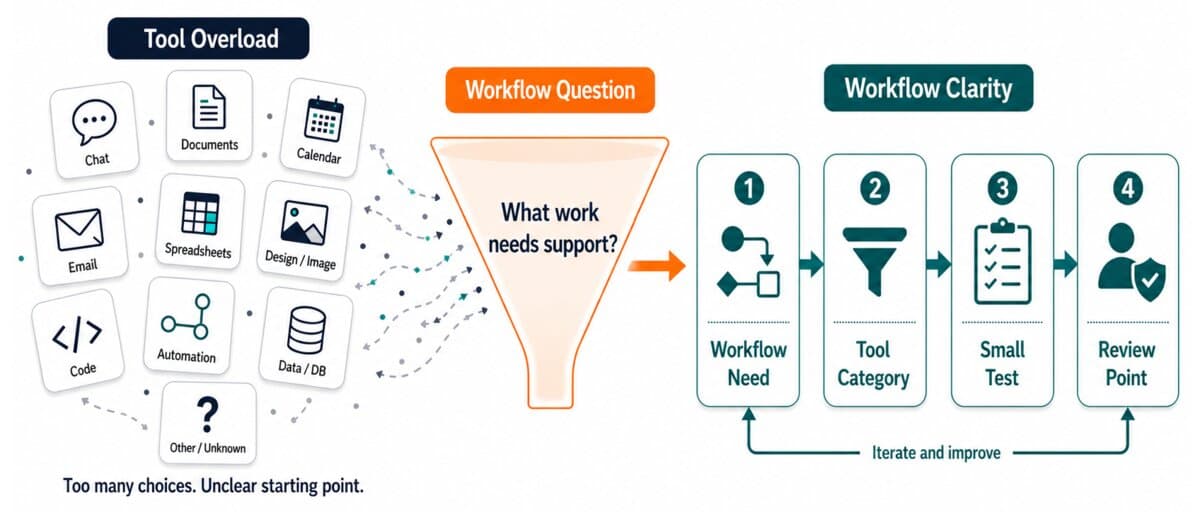
The real problem is not tool awareness
Most professionals do not need another list of fifty AI tools. They need a clearer way to answer one practical question:
Which AI tool category fits the work I am trying to improve?
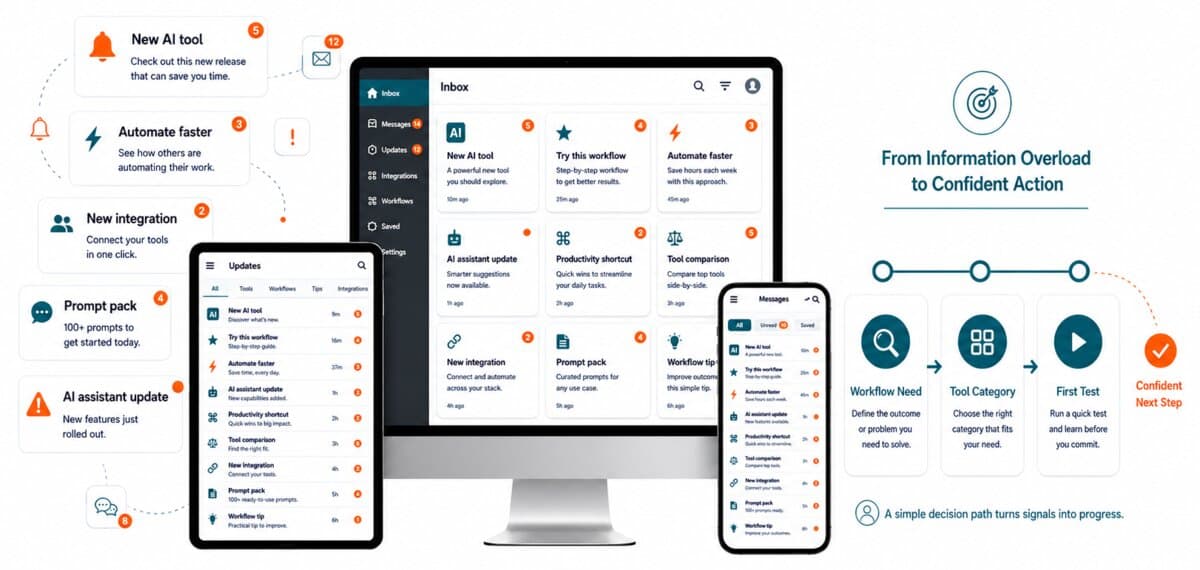
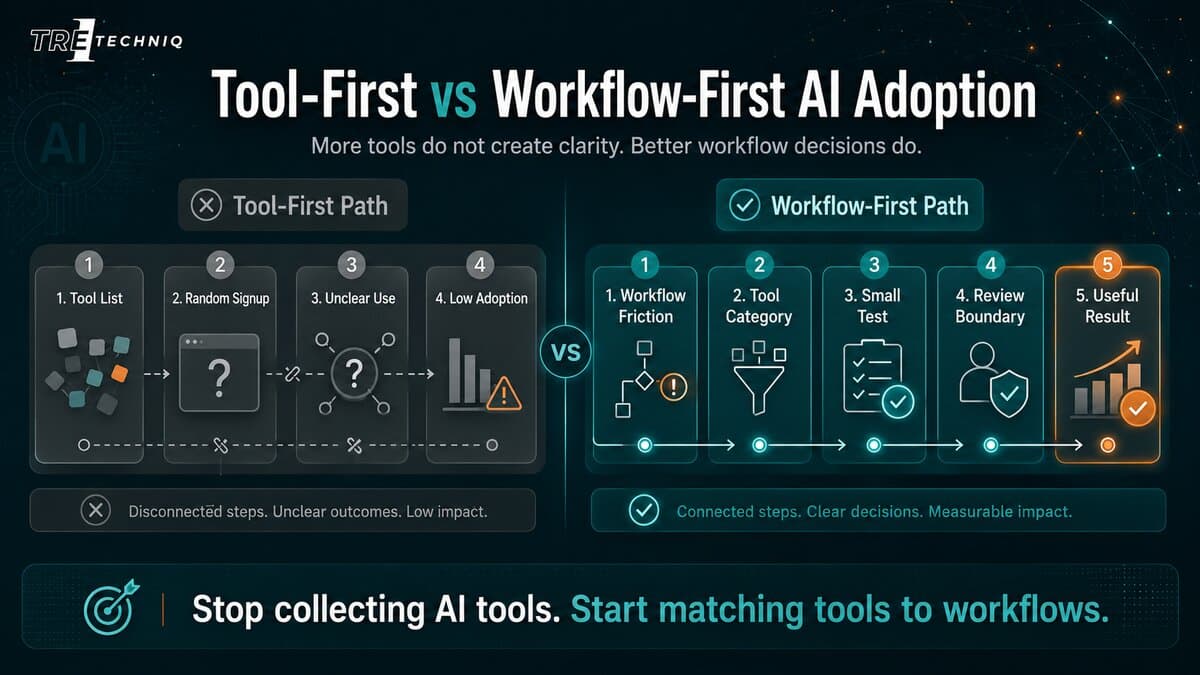
Social media tool lists can create awareness, but they often leave business users with more confusion than clarity. The names may be interesting, but the list rarely explains what to try first, what setup requires, what the tool should improve, or where human review should stay in place.
The goal is not to become familiar with every tool category at once. The goal is to choose one workflow where AI can create a useful, reviewable improvement.
Tre1 TechnIQ takes a workflow-first approach. Instead of starting with every available tool, start with the work that needs support.

Start with the workflow, not the tool list
Before choosing an AI tool, identify the type of work you want to improve.
- Are you trying to write or summarize faster?
- Are you trying to research and compare information?
- Are you trying to reduce repetitive data entry?
- Are you trying to improve email follow-up?
- Are you trying to reduce scheduling back-and-forth?
- Are you trying to create marketing visuals or content drafts?
- Are you trying to connect systems and reduce manual handoffs?
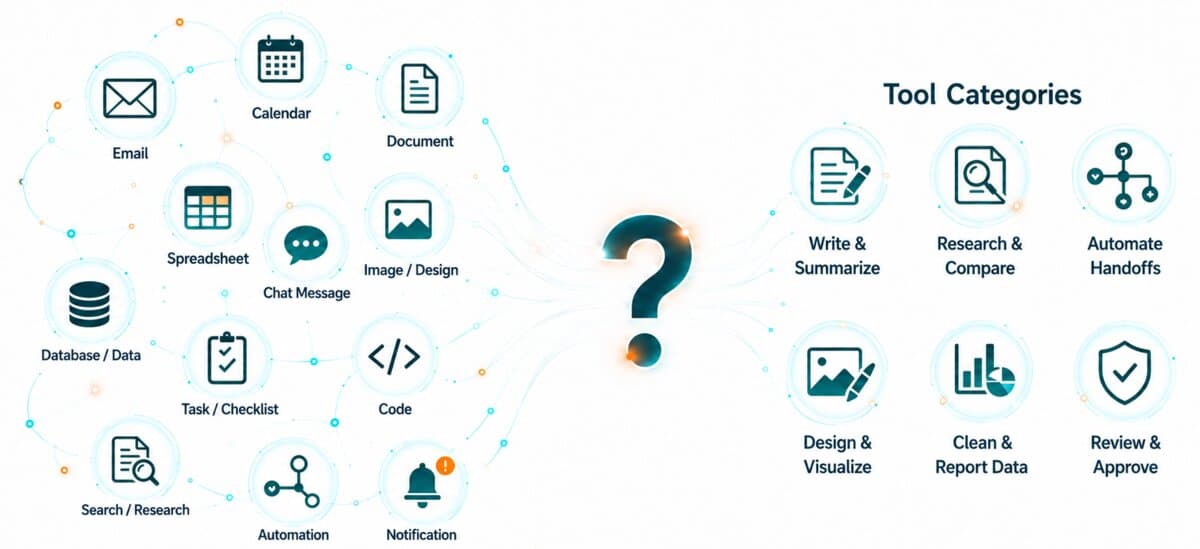
Each of those needs may point to a different AI tool category. A chat assistant may help with drafting and planning. An automation tool may help with repeated handoffs. A productivity copilot may help inside documents, email, or office tools. A design tool may help create visuals and campaign assets.
Plain-English Rule
If you cannot describe the workflow clearly, do not start by buying another AI tool. Start by mapping the task, trigger, owner, input, output, and review point.
Common AI tool categories
The table below gives a simple starting point. It does not list every tool. Instead, it groups common AI tools by the kind of work they usually support.
| Tool Category | Good For | Common Starting Point |
|---|---|---|
| Chat assistants | Writing, planning, summarizing, brainstorming, outlining | Drafting emails, SOPs, checklists, outlines, or internal notes |
| Research assistants | Finding, comparing, and summarizing information | Topic research, vendor comparison, market review, summaries |
| Productivity copilots | Documents, email, spreadsheets, and office tools | Summarizing documents, drafting updates, organizing notes |
| Automation | Connecting apps, triggering actions, reducing handoffs | Form submission to task, CRM update, or notification |
| Image and design | Visual concepts, social graphics, presentation assets | Marketing ideas, carousel concepts, thumbnails, visual drafts |
| Data and spreadsheet | Cleaning, categorizing, and summarizing data | Cleaning spreadsheet rows and categorizing records |
| Coding assistants | Debugging, technical planning, documentation | Explaining scripts, reviewing simple code changes |
Tool category decision guide
Use this quick guide to narrow your starting point.
| If your main problem is... | Start with this category | Example first use |
|---|---|---|
| Email replies take too long | Chat assistant or productivity copilot | Create draft replies, response templates, or message summaries |
| Information gets copied between tools | Automation tool | Move form data into a task, spreadsheet, CRM, or notification |
| Meeting notes are scattered | Productivity copilot or chat assistant | Summarize meeting notes and create next-action lists |
| Reports take too long to prepare | Data, spreadsheet, or chat assistant | Summarize recurring data and draft a report outline |
| Marketing visuals slow down content production | Image and design tool | Create first-draft social graphics or carousel concepts |
| Follow-ups are missed | Automation tool plus human review | Create reminder tasks after email, form, or client request triggers |
The decision guide is not meant to lock you into one tool forever. It is meant to help you choose the first reasonable category to test.
Once the category is clear, your first test should stay small. A useful first AI project should produce something easy to review, such as a draft, summary, reminder, checklist, or routed task.
A good first AI project should be small enough to test, useful enough to matter, and clear enough for a person to review.

What should stay human-reviewed?
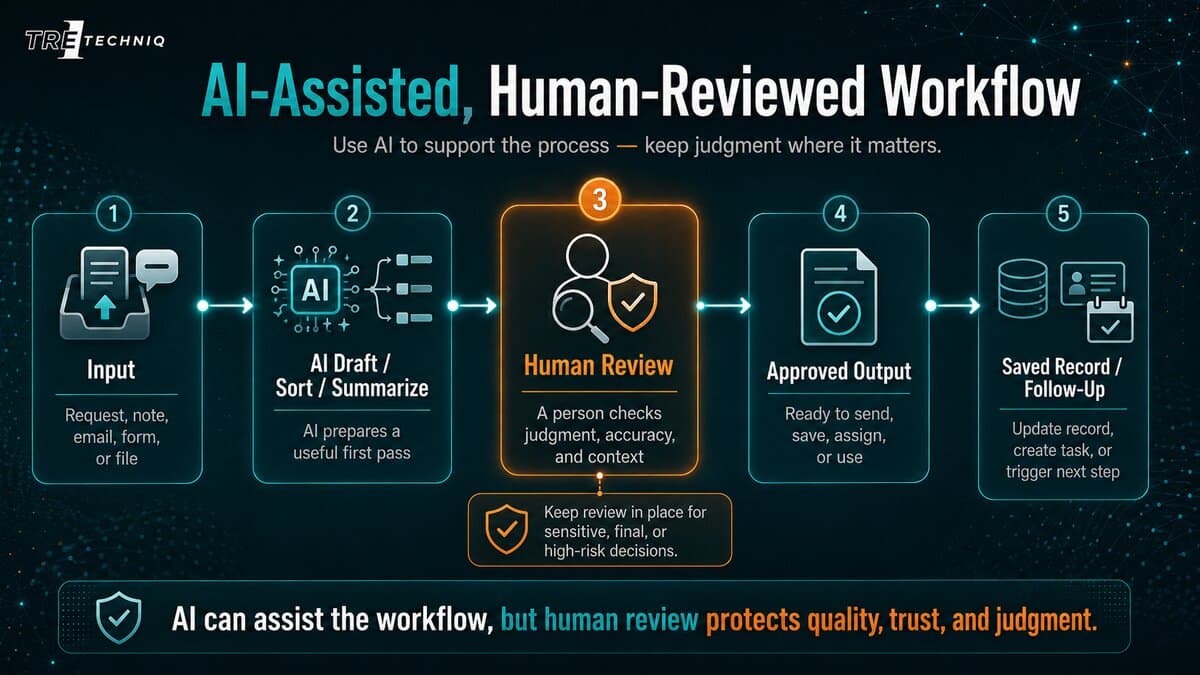
AI can support business workflows, but it should not remove judgment from sensitive or high-risk work.
Keep human review in place for:
- final decisions
- client-sensitive communication
- legal, medical, financial, or employment-related content
- pricing, contracts, or commitments
- messages involving conflict or complaints
- anything that affects trust, safety, reputation, or compliance
Important Reminder
A good AI setup does not mean everything becomes automatic. In many professional workflows, the best setup is AI-assisted, human-reviewed, and workflow-aware.
Minimum setup questions
Before choosing your first tool, answer these basic setup questions.
- Will this tool be used by one person or a team?
- Will it access client, employee, student, financial, or sensitive information?
- Does the tool need to connect to email, calendar, files, CRM, spreadsheet, or project management software?
- Will the tool produce drafts, final outputs, reminders, reports, or records?
- Who reviews the output before it is used?
- What is the monthly cost if the free plan is not enough?
- What is the first workflow you want to improve?
These questions prevent the common mistake of adopting a tool before the workflow is clear.
Example: missed follow-up
Suppose the main problem is missed follow-up.
A simple AI writing tool might help draft messages, but it may not solve the real workflow problem. The actual issue may involve several steps:
- A client message arrives.
- The message needs to be categorized.
- A task needs to be created.
- An owner needs to be assigned.
- A reminder needs to be scheduled.
- A response draft may need to be prepared.
- A human should review sensitive or unclear messages.
In this case, the best starting point may not be one tool. It may be a small workflow system that combines a chat assistant, a task tool, email rules, and human review.
Good first AI projects
Good first AI projects are small, repeatable, and easy to review.
| Project | Why it works well | Review boundary |
|---|---|---|
| Draft common email responses | The task repeats often and can save time quickly | Human reviews before sending |
| Summarize meeting notes | The output can become action items or follow-up notes | Human confirms accuracy and owners |
| Create checklist drafts | Useful for standardizing internal processes | Human confirms steps and exceptions |
| Categorize incoming requests | Helps sort communication and reduce manual triage | Human reviews exceptions or sensitive items |
| Turn form submissions into tasks | Reduces copy/paste and missed handoffs | Human checks incomplete or high-risk entries |
Poor first AI projects
Some projects are not ideal starting points because they are too broad, sensitive, or unclear.
- Replacing an entire role or department without workflow mapping
- Fully automating sensitive client communication
- Letting AI make final financial, legal, hiring, or medical decisions
- Connecting several systems before the source of truth is clear
- Using AI with private data before reviewing permissions and policies
- Building complex automations before testing one simple handoff
The safest first AI project is not the biggest one. It is the one with a clear workflow, a clear review point, and a useful result.
The Tre1 TechnIQ starting framework
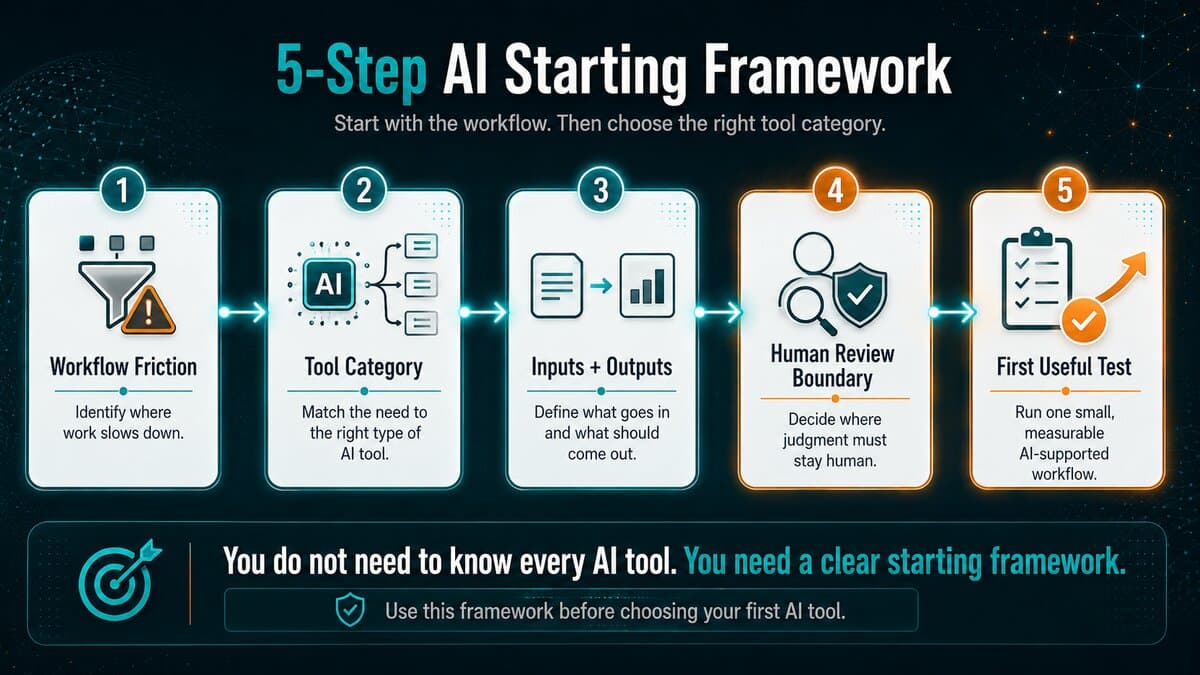
Use this five-step framework to choose a practical starting point.
| Step | Question | Output |
|---|---|---|
| 1 | What workflow is creating friction? | One clear workflow focus |
| 2 | What type of work needs support? | Tool category |
| 3 | What inputs and outputs are involved? | Basic workflow map |
| 4 | Where should human review stay? | Review boundary |
| 5 | What is the smallest useful test? | First AI use case |
Next Step:
Next Step
Turn this guide into a workflow-specific starting point.
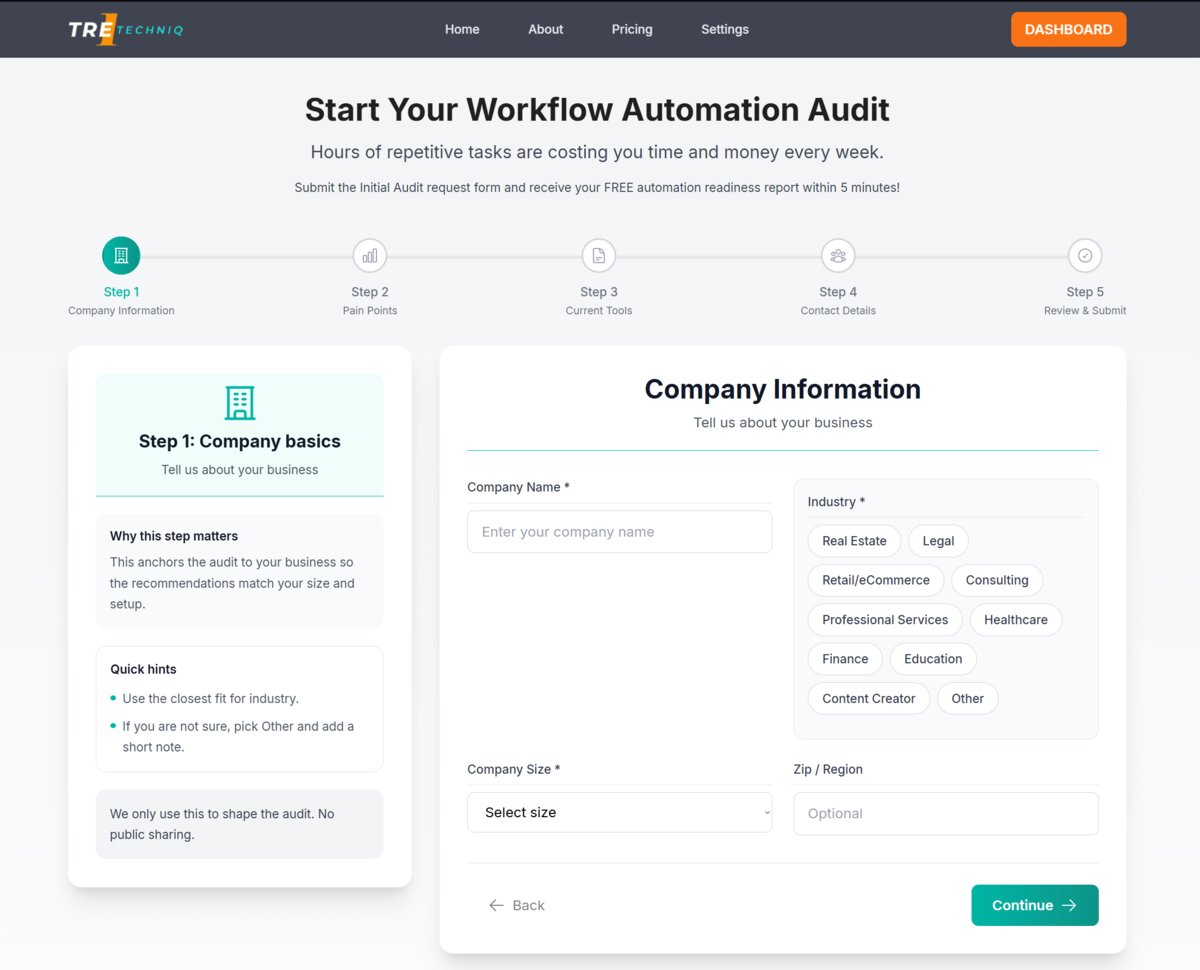
Complete the free Tre1 TechnIQ Automation Readiness Audit to identify your strongest first workflow opportunity and receive a report with recommended next steps.

Start with your workflow, not the tool list.
Use this guide as your first filter. Then complete the free Tre1 TechnIQ Automation Readiness Audit to identify which workflow may be the strongest place to improve first.
Next action: Take the free Automation Readiness Audit.